Diese Versionherunterladen
10.09MB
|
SeaMonkey 2.0Mozilla Organization - 10.09MB (Freeware) |
- SeaMonkey uses the same internal platform as Firefox 3.5.4 now. Due to this change SeaMonkey is now much closer to Firefox as far as user profiles, add-ons and functionality of user interface elements are concerned.
- The default location of user profiles has changed. Legacy profiles, e.g. from SeaMonkey 1.x, or even Thunderbird profiles, can be migrated automatically, excluding third-party add-ons (extensions and themes). The old profile will not be touched (instead, copies are made).
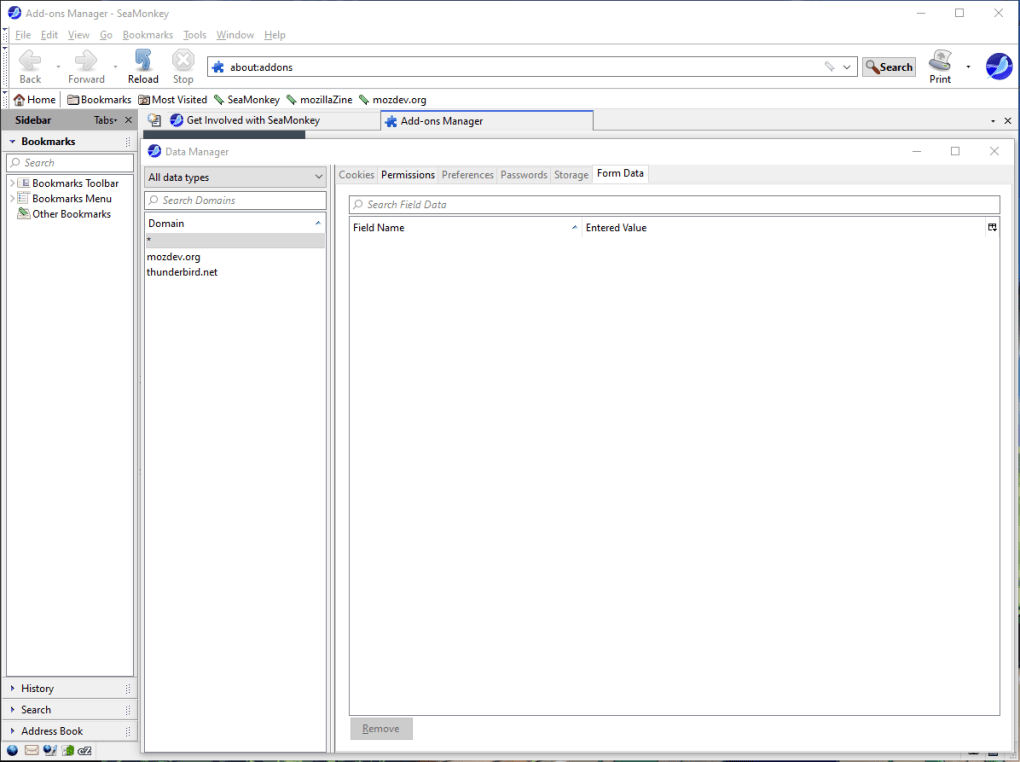
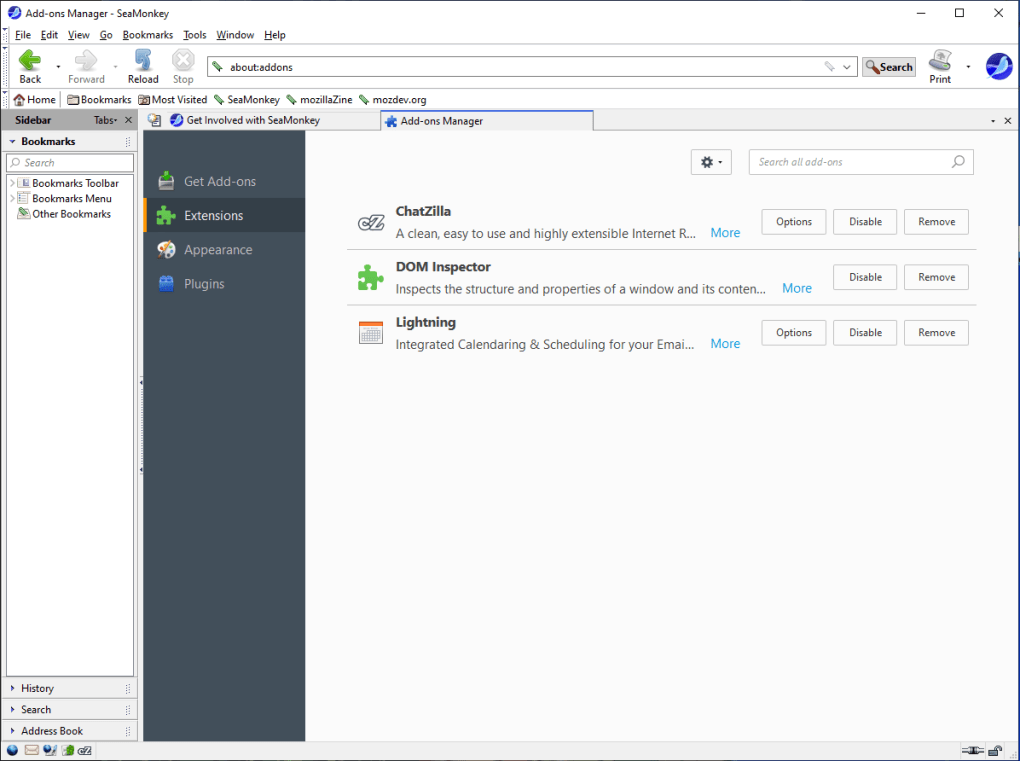
- The new Add-on Manager allows to install, update, disable and remove extensions (add-ons), themes and plugins using the same mechanisms Firefox uses. This should ease extension management and development considerably.
- Session restore (crash recovery) has been added. Now, when SeaMonkey crashes, all your browser windows and tabs will be restored automatically or on request (including data entered in web forms!). In addition, users can select to always restore the browser windows and tabs from their last open session when starting SeaMonkey.
- Reopening closed browser windows (Undo Close Window) is now possible.
- History is now stored in a better database solution, so that it can easily keep more information, and the location bar determines which addresses to autocomplete and/or show in the drop down menu with a smarter algorithm based on what you type, searching in both URL and title of visited pages by default.
- Toolbars in the browser, main MailNews and message compose windows are now fully customizable, including icon size and whether to display icons and/or text for every major toolbar, all available via their context menus.
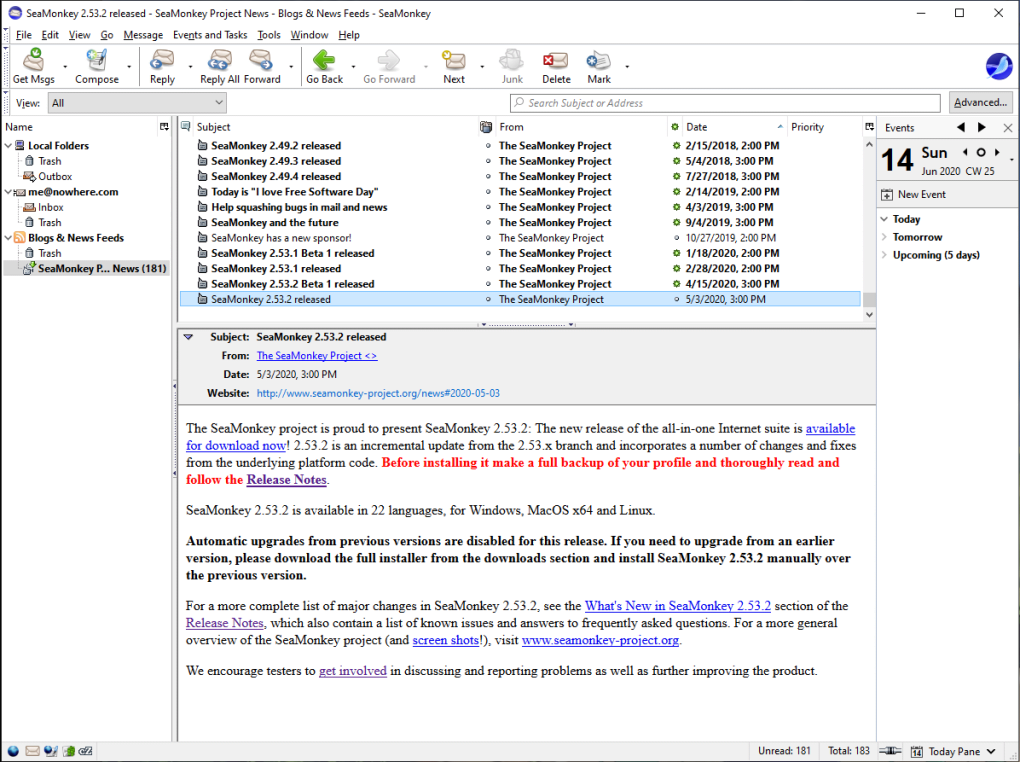
- The MailNews component now includes support for reading RSS and Atom feeds. The browser detects feeds offered by web pages, can preview them and offers different ways to subscribe to them.
- New IMAP accounts will now keep local offline copies by default, as a part of a number of speed improvements when working with IMAP. Synchronization can be disabled per account or for individual folders, and limited to the most recent messages in the Synchronization & Storage settings.
- Tabbed Mail enables accounts, folders and even single messages to be opened in tabs inside the Mail & Newsgroups window. This feature also enables the Lightning extension to be installed into SeaMonkey for calendering functionality.
Password Manager was switched to an improved version, allowing easier searching, and notification bars replacing modal dialogs for remembering logins.
- Download Manager has been completely reworked, including support for cross-session resumable downloads.
- A new form manager replaces all previous web form management, and automatically keeps a record of what you type into forms and presents you these options in a drop-down list when you come back.
- Cookie Manager has been improved and now allows searching for cookies by site and cookie name.
- Gecko, the rendering engine used in SeaMonkey, has seen many improvements since the version used in the last stable release. Changes range from a better graphics backend (Cairo/Thebes) to improved support for fonts, CSS, DOM and JavaScript. SeaMonkey 2.0 passes the Acid2 test and most of Acid3 and includes all the HTML5 and other new web-facing features also included in Firefox 3.5, such as audio/video elements, downloadable fonts and JIT-compiled JavaScript.
- Most of the icons in the default theme have been exchanged for newer images that fit better with the look of modern desktop environments.
- The default theme on Mac OS X was completely renewed to better fit with the look of Leopard and Snow Leopard.
- For extension developers, SMILE is introduced, making interfaces known from FUEL and STEEL also available in SeaMonkey.
- Support for Windows 95, 98, Me and NT 4 was dropped. GTK 2.10 or higher is now required on Linux/UNIX. Support for Mac OS X 10.3 ("Panther") and 10.2 ("Jaguar") was also dropped.
- The default location of user profiles has changed. Legacy profiles, e.g. from SeaMonkey 1.x, or even Thunderbird profiles, can be migrated automatically, excluding third-party add-ons (extensions and themes). The old profile will not be touched (instead, copies are made).
- The new Add-on Manager allows to install, update, disable and remove extensions (add-ons), themes and plugins using the same mechanisms Firefox uses. This should ease extension management and development considerably.
- Session restore (crash recovery) has been added. Now, when SeaMonkey crashes, all your browser windows and tabs will be restored automatically or on request (including data entered in web forms!). In addition, users can select to always restore the browser windows and tabs from their last open session when starting SeaMonkey.
- Reopening closed browser windows (Undo Close Window) is now possible.
- History is now stored in a better database solution, so that it can easily keep more information, and the location bar determines which addresses to autocomplete and/or show in the drop down menu with a smarter algorithm based on what you type, searching in both URL and title of visited pages by default.
- Toolbars in the browser, main MailNews and message compose windows are now fully customizable, including icon size and whether to display icons and/or text for every major toolbar, all available via their context menus.
- The MailNews component now includes support for reading RSS and Atom feeds. The browser detects feeds offered by web pages, can preview them and offers different ways to subscribe to them.
- New IMAP accounts will now keep local offline copies by default, as a part of a number of speed improvements when working with IMAP. Synchronization can be disabled per account or for individual folders, and limited to the most recent messages in the Synchronization & Storage settings.
- Tabbed Mail enables accounts, folders and even single messages to be opened in tabs inside the Mail & Newsgroups window. This feature also enables the Lightning extension to be installed into SeaMonkey for calendering functionality.
Password Manager was switched to an improved version, allowing easier searching, and notification bars replacing modal dialogs for remembering logins.
- Download Manager has been completely reworked, including support for cross-session resumable downloads.
- A new form manager replaces all previous web form management, and automatically keeps a record of what you type into forms and presents you these options in a drop-down list when you come back.
- Cookie Manager has been improved and now allows searching for cookies by site and cookie name.
- Gecko, the rendering engine used in SeaMonkey, has seen many improvements since the version used in the last stable release. Changes range from a better graphics backend (Cairo/Thebes) to improved support for fonts, CSS, DOM and JavaScript. SeaMonkey 2.0 passes the Acid2 test and most of Acid3 and includes all the HTML5 and other new web-facing features also included in Firefox 3.5, such as audio/video elements, downloadable fonts and JIT-compiled JavaScript.
- Most of the icons in the default theme have been exchanged for newer images that fit better with the look of modern desktop environments.
- The default theme on Mac OS X was completely renewed to better fit with the look of Leopard and Snow Leopard.
- For extension developers, SMILE is introduced, making interfaces known from FUEL and STEEL also available in SeaMonkey.
- Support for Windows 95, 98, Me and NT 4 was dropped. GTK 2.10 or higher is now required on Linux/UNIX. Support for Mac OS X 10.3 ("Panther") and 10.2 ("Jaguar") was also dropped.
DE


Opera 15.00 Next Beta 1 (Build 1147.18)
Flash Player 11.7.700.224 (IE)
Java Runtime Environment 1.7.0.21 (64-bit)
Flock 2.6.1
Silverlight 5.1.20125
Netscape 9.0.0.6

![Scientists are getting very close to creating an actual invisibility cloak, as separate research teams over the past week have revealed significant advancements in the area. From an invisibility cloak scaled up to be able to hide a person to a quantum invisibility cloak that can hide objects in time, there is no better moment for fans of H.G. Wells and the Harry Potter franchise than this one. The invisibility cloak that uses time was designed by Purdue University scientists. Unlike the spatial cloak we all saw in Harry Potter, this device uses time cloaking, a relatively new concept based on the idea that in some places in time, the things that happen are not picked up. Since nobody can tell that these things occurred, it’s like they never happened. The concept still has a long way to go before it turns into reality, although scientists have been able to cloak small electrical signals so far. The technology may be difficult to grasp, yet researchers think that if successful , it will be a major breakthrough in making quantum information computing and storage very successful. Another research team, meanwhile, detailed how to make an invisibility cloak to hide large objects, including a person. The New York University of Rochester scientists used a conventional arrangement of lenses and mirrors to drive the light around the area they want to hide from view. The human-scale cloak also manages the impressive feat of hiding items across the entire optical range. But it still faces one major problem: that is only works in one direction, which means the hidden object becomes visible if the viewpoint changes. Nonetheless, this large-scale cloak could be successfully used to hide satellites in orbit and other huge objects. And a Shanghai-based team of researchers unveiled another invisibility cloak which they claim can be adjusted to make items invisible from any line of sight. The scientists demonstrated the cloak by making a pet goldfish and a cat disappear. According to the Chinese team, the device may have important applications in security, surveillance and entertainment. http://www.youtube.com/watch?v=YNO9-DYCi2U With all the new ideas and research, it seems we will see an actual invisibility cloak in use very soon. What do you think of this technology? What would you do if you had your very own invisibility cloak? [Image via Mental floss]](http://cdn.techbeat.com/wp-content/uploads/2013/06/invisibility-harry-120x80.jpg)