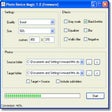
Photoshine is a photo editing and manipulation tool to easily create collages, frames and magazine style layouts with fancy effects such as sticking your favorite photograph on a cup or flower, or decorating it with a pink picture frame. Photoshine has 9 theme categories: Baby, Dream, Festival, Frame, Girl, Love, Magazine, Simulation and Other. The free version includes 230 templates while the full version comes with a whooping 680 templates. Creating a framed picture or funny effect is easy. After opening the picture in Photoshine you simply select a template to use with it. You can then fine tune it in through moving and rotating the picture within the template, for example to precisely position it within a mirror frame. You can add additional photos to the same template to create a collage. Photoshine also lets you change the color to black and white, sepia or a line drawing effect.

PhotoShine for Windows
- By picget
- Trial version
- 5.5
Editors' Review · October 1, 2021
Technical
- Title
- PhotoShine 5.5 for Windows
- Requirements
- Windows 2003
- Windows ME
- Windows 7
- Windows 2000
- Windows 98
- Windows NT
- Windows Vista
- Windows 98 SE
- Windows 8
- Windows 95
- Windows XP
- Language
- English
- Available languages
- English
- Spanish
- French
- Dutch
- Portuguese
- License
- Trial version
- Latest update
- Author
- picget
- SHA-1
97f3b497b305e11c183578efda5ad3b63d15b65a
- Filename
- photoshine.exe
Program available in other languages
PhotoShine for Windows
- By picget
- Trial version
- 5.5
Changelog
We don’t have any change log information yet for version 5.5 of PhotoShine. Sometimes publishers take a little while to make this information available, so please check back in a few days to see if it has been updated.
Can you help?
If you have any changelog info you can share with us, we’d love to hear from you! Head over to our Contact page and let us know.
Explore apps










Related software

Adobe Acrobat Reader DC
Reliable PDF viewing and annotation for all users

2007 Microsoft Office Add-in: Microsoft Save as PDF or XPS
2007 Microsoft Office Add-in: Microsoft Save as PDF or XPS for Windows explained

Google Chrome
A fast, feature-rich browser

WinRAR 64-bit
Trusted compression for personal and professional use

AnyDesk
Effortless remote access with AnyDesk
CCleaner Free
Cleaning and optimization made simple

WinRAR 32-bit
A reliable and secure file compressor

2007 Microsoft Office suite Service Pack 3
Free security and performance boost for legacy Office

WhatsApp
Seamless messaging across devices
CorelDRAW Graphics Suite
Master your designs with CorelDRAW Graphics Suite
Rufus
Efficient USB drive preparation for any system

Avast One Free Antivirus
Free and powerful security tool



Last updated
ACDSee Free
Experience lightning-fast image management for free
Microsoft PowerPoint Viewer 2007
Microsoft PowerPoint Viewer 2007: Open PPT files without Powerpoint

PSD Viewer
Viewing Photoshop files without the complexity
Kodak Easyshare
Simple photo management for older libraries
HP Scanjet G4050 Photo Scanner drivers
Reliable photo and film scanning service
PhotoRazor
PhotoRazor - Automate Your Digital Photographic Editing With Photorazor
ReaConverter
Convert Images With Ease and Convenience
Beneton Movie GIF
Beneton Movie GIF: Free, Easy Animated GIF Editing Tool

Zoom
Evolution into an AI-driven collaboration powerhouse
Tor Browser
Enhanced online privacy with Tor Browser
Adobe Photoshop 7.0.1 Update
A stability update for creative professionals
Euro Truck Simulator 2
Immersive trucking across Europe