
Reliable spyware detection with hands-on control
Spybot Search and Destroy, developed by Safer-Networking Ltd., is a free anti-spyware software option for PC users who want extra privacy protection alongside their main security setup. It focuses on finding and removing threats like adware, tracking components, and browser hijacker-style changes. The scanning approach stays user-driven, which suits people who prefer visibility and manual decisions instead of fully automated cleanup.
Spybot includes spyware and rootkit detection, plus an Immunization feature that helps block known harmful sites and reduce common tracking pathways in your browser. That prevention layer can cut down on repeat annoyances after cleanup, which is one of its biggest strengths. Coverage is not equally strong across every browser, and Softonic notes limited support for Microsoft Edge, which can matter if Edge is your primary way to browse.
Focused tools for safer browsing
Flexible scanning with clear controls
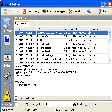
The interface keeps key actions easy to find, with straightforward options to run scans and review detected items before removal. Results are presented in a way that supports hands-on control, so users can decide what to fix and what to keep. That clarity works well for cautious users, although the overall experience can feel dated compared with modern security suites that focus on simpler, guided workflows.
Spybot fits best as an on-demand malware removal tool rather than a full replacement for broader protection. Softonic also notes that the free version lacks real-time protection, so it works more as a second opinion scanner and privacy-focused add-on. Users who want constant monitoring from one tool can find this limitation frustrating.
Extra utilities that go beyond scanning
Beyond detection and removal, Spybot includes tools such as startup management that can help identify programs launching at boot. That can be useful for trimming obvious clutter, as long as essential system entries stay untouched. The software also offers repair-style utilities aimed at fixing certain system changes tied to malware or unwanted software, which can help restore normal behavior after a cleanup.
Those extras add practical value for users who like to troubleshoot their own system. At the same time, the tool’s strengths stay focused on spyware cleanup and prevention rather than full-suite security. A modern security package can still be necessary for broader threat coverage and always-on protection.
A useful secondary layer for privacy checks
Spybot Search and Destroy combines manual spyware cleanup with a prevention-focused Immunization layer, making it a solid companion to a primary antivirus tool. Its extra utilities can help tidy startup behavior and repair common unwanted changes after a scan. Limited Edge support and the lack of real-time protection in the free version define its role as a secondary scanner rather than an all-in-one solution.
Pros
- Immunization adds a strong prevention layer
- Clear, manual control over scan results
Cons
- Limited support for Microsoft Edge
- No real-time protection in the free version