DownloadThis Version
17.57MB
|
WindowBlinds 6.0Stardock - 17.57MB (Shareware) |
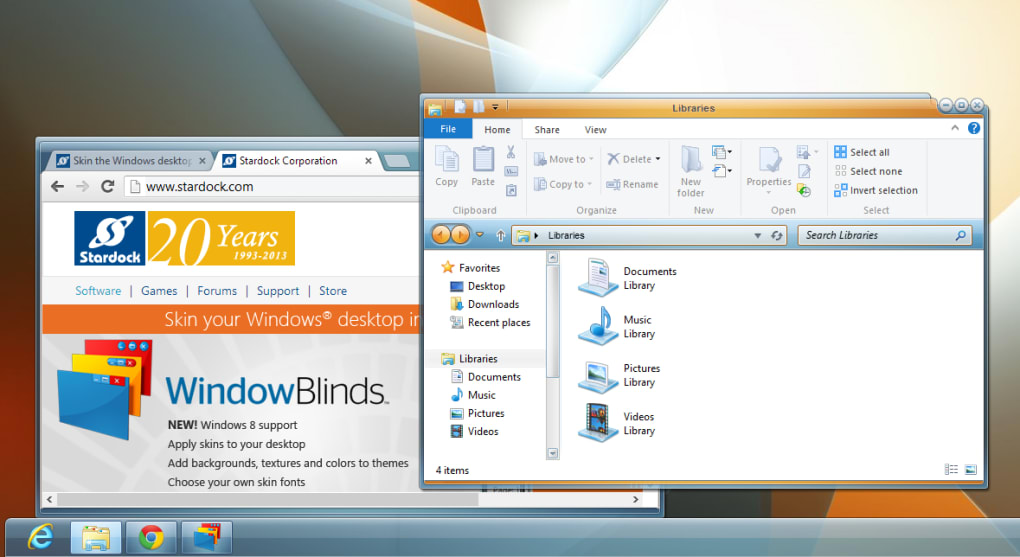
- Animation Overlays - The Start Menu now supports animation on both Windows XP and Vista
- The new Molten skin has been included with the BETA to show off this "hot" new feature.
- Blur Glass Effects - WindowBlinds now has Blur support in title bars in Windows XP (additionally on the menus on Windows Vista)
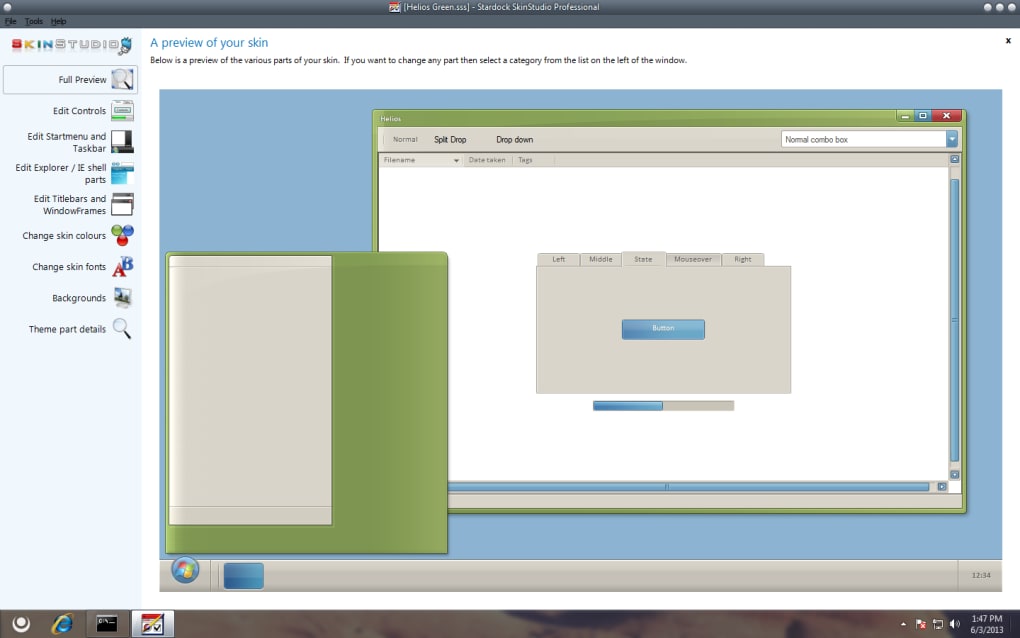
- User Created Sub-styles - Edit the system colors/fonts and save all skin changes as presets giving the user the ability to customize their skins beyond what's initially offered as a skin in the software. It gives greater user control over what the user interface will look like.
- Full Font Control - New to WB6 is enhanced font features: Users can now change the size and font style they see in menus, tabs and toolbars.
- Skinning of Explorer Backgrounds - Support for explorer background bitmaps including IE navigation arrows, IE tabs, start menu shutdown/lock buttons
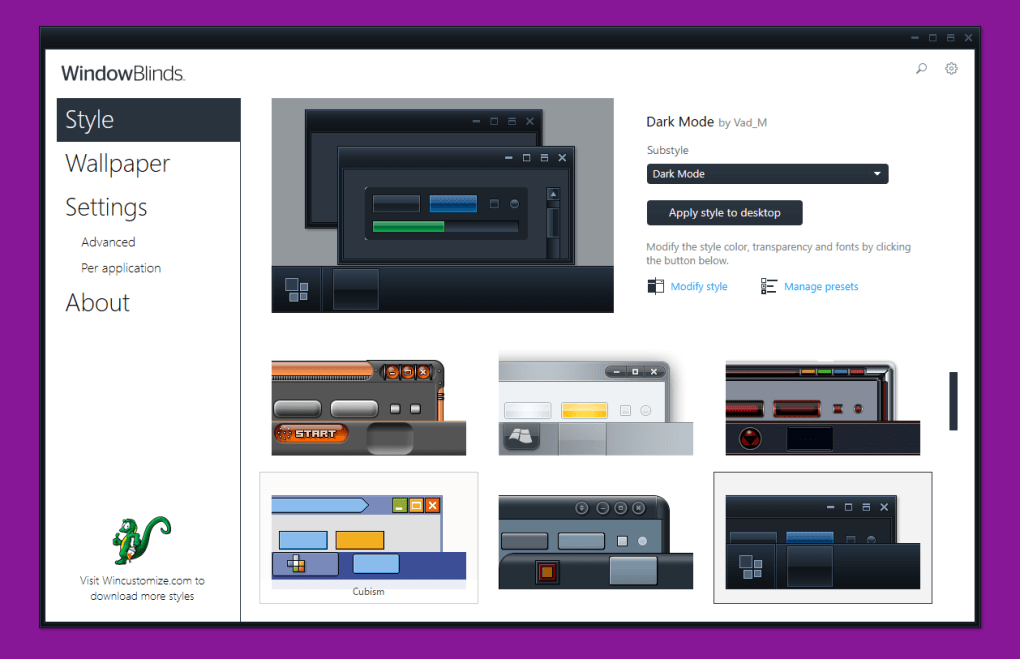
- WindowBlinds now has category filtering when viewing skins to apply. Users with many skins can now filter by the category assigned to the skin (for example Holiday, OS, Computers, Sports, etc.)
- Wallpaper can now be filtered by tags (keywords) such as Light/Dark, Animals, Plants, etc.) Allowing the user to quickly find wallpaper that will match their chosen skin.
- Support for a random skin selection when applying a new skin.
- Users can now recolor a skin and save that setting on a per skin basis. (For example changing blues to reds.)
- In addition, WindowBlinds now supports "Advanced HSL Coloring". Users can choose a single color to change instead re-coloring the entire skin
- A Vista-izeTM me function which sets some defaults to have a more Vista-like look
- Explorer background bitmaps can now be included as part of the skin,
- Edit the system colors from WindowBlinds
- Change skin fonts from WindowBlinds
- Control transparency and blur on start menu, menus, taskbar & window frames. Has some limitations on XP.
- Save all skin changes as presets
- Edit a sidebar skin from within WindowBlinds
- Alter the mouse over animation speed
- Alter the default button pulsing speed
- Handle skin upgrades in an improved fashion
- Use the Aero frames with the rest of the skin
- The new Molten skin has been included with the BETA to show off this "hot" new feature.
- Blur Glass Effects - WindowBlinds now has Blur support in title bars in Windows XP (additionally on the menus on Windows Vista)
- User Created Sub-styles - Edit the system colors/fonts and save all skin changes as presets giving the user the ability to customize their skins beyond what's initially offered as a skin in the software. It gives greater user control over what the user interface will look like.
- Full Font Control - New to WB6 is enhanced font features: Users can now change the size and font style they see in menus, tabs and toolbars.
- Skinning of Explorer Backgrounds - Support for explorer background bitmaps including IE navigation arrows, IE tabs, start menu shutdown/lock buttons
- WindowBlinds now has category filtering when viewing skins to apply. Users with many skins can now filter by the category assigned to the skin (for example Holiday, OS, Computers, Sports, etc.)
- Wallpaper can now be filtered by tags (keywords) such as Light/Dark, Animals, Plants, etc.) Allowing the user to quickly find wallpaper that will match their chosen skin.
- Support for a random skin selection when applying a new skin.
- Users can now recolor a skin and save that setting on a per skin basis. (For example changing blues to reds.)
- In addition, WindowBlinds now supports "Advanced HSL Coloring". Users can choose a single color to change instead re-coloring the entire skin
- A Vista-izeTM me function which sets some defaults to have a more Vista-like look
- Explorer background bitmaps can now be included as part of the skin,
- Edit the system colors from WindowBlinds
- Change skin fonts from WindowBlinds
- Control transparency and blur on start menu, menus, taskbar & window frames. Has some limitations on XP.
- Save all skin changes as presets
- Edit a sidebar skin from within WindowBlinds
- Alter the mouse over animation speed
- Alter the default button pulsing speed
- Handle skin upgrades in an improved fashion
- Use the Aero frames with the rest of the skin
EN


ObjectDock 2.1
Google Desktop 5.9.1005.12335
Yahoo! Widget Engine 4.5.2
Alt-Tab Thingy 4.0.4
Rainlendar 2.12 Beta 131
Y'z Dock 0.8.3

![Scientists are getting very close to creating an actual invisibility cloak, as separate research teams over the past week have revealed significant advancements in the area. From an invisibility cloak scaled up to be able to hide a person to a quantum invisibility cloak that can hide objects in time, there is no better moment for fans of H.G. Wells and the Harry Potter franchise than this one. The invisibility cloak that uses time was designed by Purdue University scientists. Unlike the spatial cloak we all saw in Harry Potter, this device uses time cloaking, a relatively new concept based on the idea that in some places in time, the things that happen are not picked up. Since nobody can tell that these things occurred, it’s like they never happened. The concept still has a long way to go before it turns into reality, although scientists have been able to cloak small electrical signals so far. The technology may be difficult to grasp, yet researchers think that if successful , it will be a major breakthrough in making quantum information computing and storage very successful. Another research team, meanwhile, detailed how to make an invisibility cloak to hide large objects, including a person. The New York University of Rochester scientists used a conventional arrangement of lenses and mirrors to drive the light around the area they want to hide from view. The human-scale cloak also manages the impressive feat of hiding items across the entire optical range. But it still faces one major problem: that is only works in one direction, which means the hidden object becomes visible if the viewpoint changes. Nonetheless, this large-scale cloak could be successfully used to hide satellites in orbit and other huge objects. And a Shanghai-based team of researchers unveiled another invisibility cloak which they claim can be adjusted to make items invisible from any line of sight. The scientists demonstrated the cloak by making a pet goldfish and a cat disappear. According to the Chinese team, the device may have important applications in security, surveillance and entertainment. http://www.youtube.com/watch?v=YNO9-DYCi2U With all the new ideas and research, it seems we will see an actual invisibility cloak in use very soon. What do you think of this technology? What would you do if you had your very own invisibility cloak? [Image via Mental floss]](http://cdn.techbeat.com/wp-content/uploads/2013/06/invisibility-harry-120x80.jpg)