Application libre d'imagerie et de montage
DAEMON Tools Lite est un programme d'imagerie gratuit qui vous permet de créer des copies de CDs et DVDs pour les stocker sur votre périphérique Microsoft Windows PC. DAEMON-Tools est un lecteur de disque virtuel qui peut faire des images sur votre PC de disques physiques. Vous pouvez monter des images, créer des fichiers, et organiser des archives dans une interface utilisateur intuitive.
Est-ce que DAEMON Tools Lite est gratuit ?
Le téléchargement de DAEMON Tools est gratuit et peut être installé sur les systèmes d'exploitation Windows 10, Windows 8.1, Windows 8, Windows 7, Windows XP, et Windows Vista 32-bit et 64-bit. Vous pouvez obtenir la solution multiplateforme sur votre PC Windows ou Mac OS.
Alors que la version gratuite contient des logiciels publicitaires de partenaires tiers, les éditions payantes sont sans publicité : DAEMON Tools Lite Personal, DAEMON Tools Pro, et DAEMON Tools Ultra. Vous obtiendrez une aide technique limitée avec le programme gratuit et un support technique 24/7 avec les services payants.
Publicité
Alors que vous ne pouvez pas créer de périphériques amorçables avec les versions Lite, vous pouvez amorcer des disques avec les outils DAEMON Ultra et Pro : disques durs, clés USB, etc. DAEMON vous permet de créer des archives VHD et TrueCrypt avec toutes les plateformes sauf le freeware.
Si vous voulez ajouter un disque RAM, alors vous aurez besoin de la version Personal ou Ultra. Il y a une option 'Graver' qui n'est disponible que pour les applications DAEMON Personal, Pro, et Ultra qui vous permet de graver des données, des images, et des disques. Si vous avez besoin de gérer des images en créant, convertissant, et modifiant des fichiers, alors vous aurez besoin d'acheter un pack logiciel.
Les packs Personal et Ultra vous permettent de partager des fichiers du programme PC vers une application pour appareil mobile avec une connexion réseau sans fil locale. Alors que les fonctionnalités avancées seront affichées dans l'interface classique de DAEMON Tools Lite, les boutons seront verrouillés.
Quelle est l'utilité de l'outil Daemon ?
Vous pouvez accéder à une grande variété de types d'images disques. DAEMON Tools Free vous permet de monter vos conteneurs VHD et TrueCrypt. Vous pouvez créer des fichiers MDS, MDX, et ISO. Si vous récupérez des images à partir de disques optiques, alors vous pouvez sauvegarder les images virtuelles dans le catalogue organisé. Le service gratuit vous permet de monter 4 périphériques DT, HDD ou SCSI en même temps.
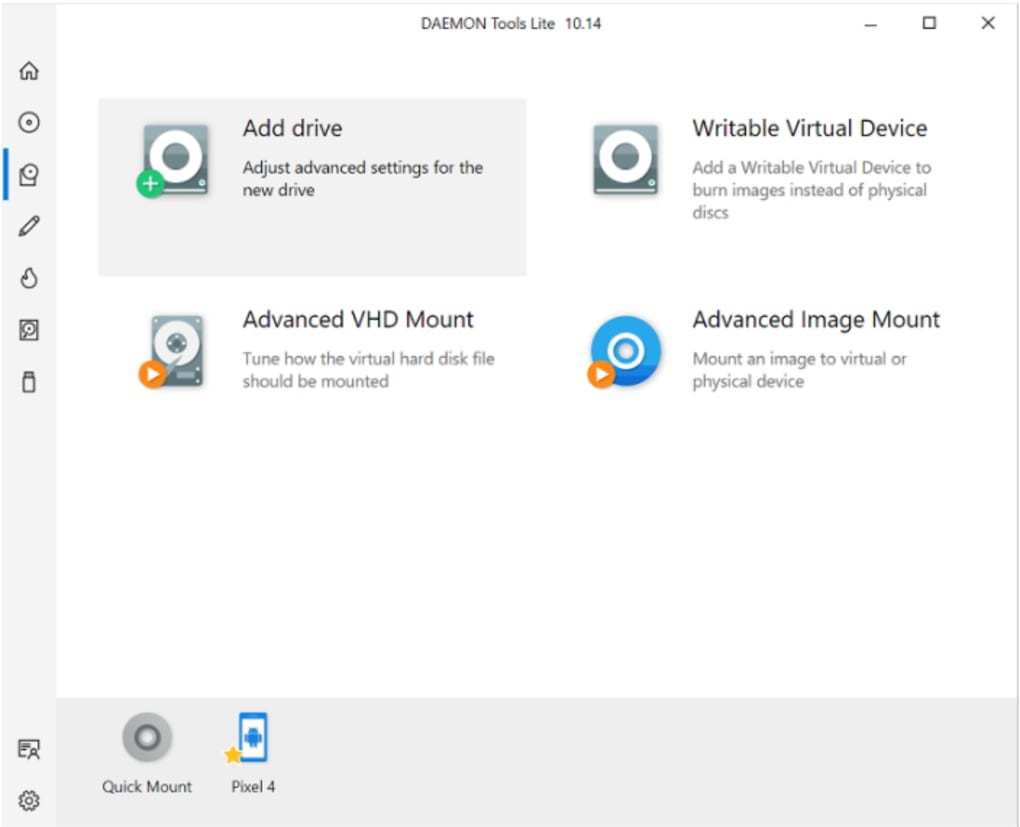
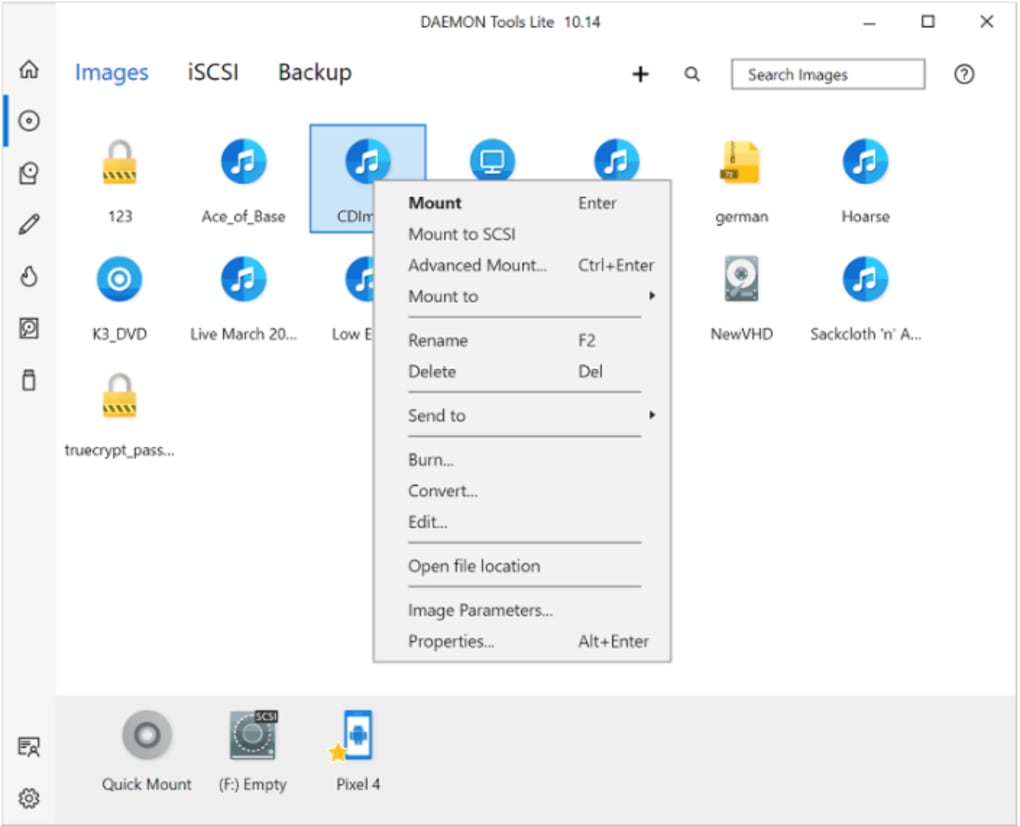
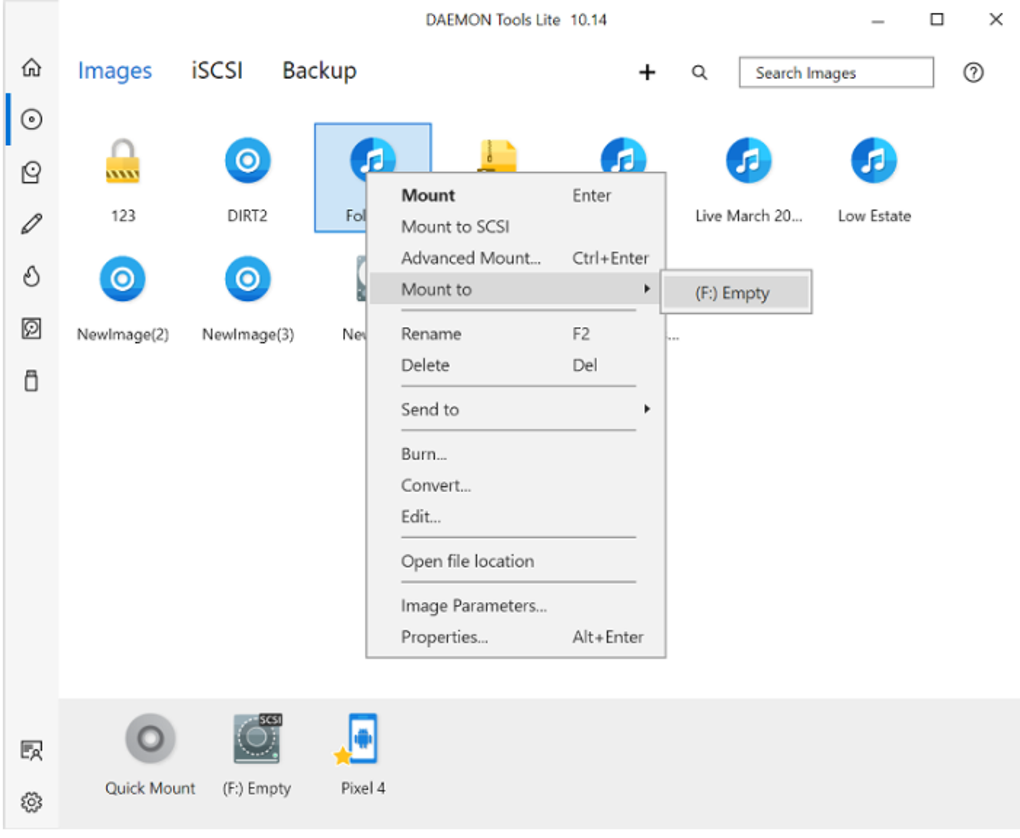
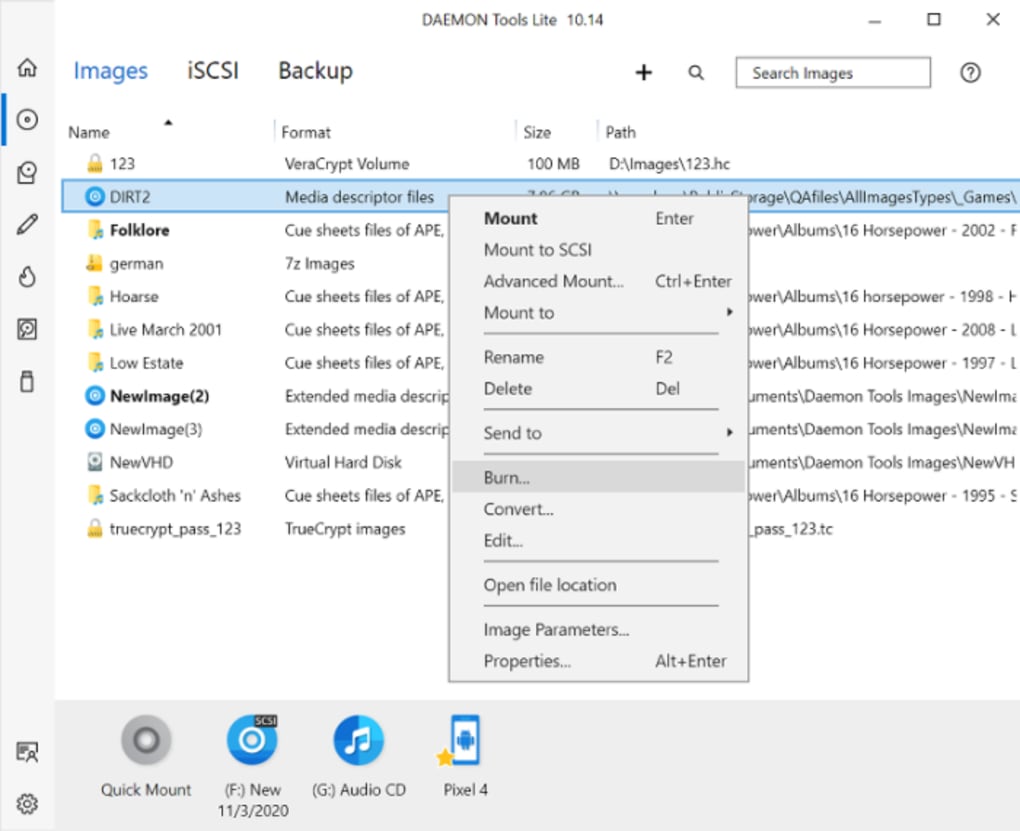
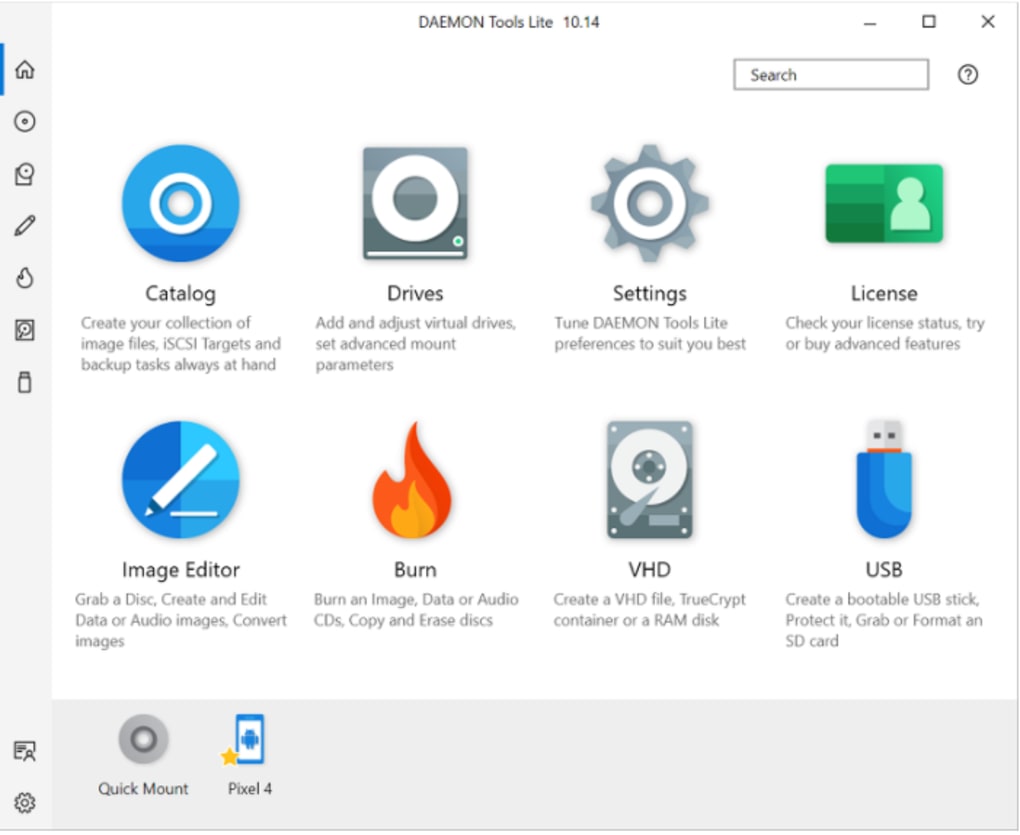
Vous pouvez voir quels périphériques sont actuellement montés dans la partie inférieure de l'interface utilisateur à côté de l'option "Quick Mount". Les invites de commande se trouvent dans la partie principale de la fenêtre. L'icône "Catalogue" vous permet de créer des fichiers d'image disque et des cibles iSCSI. Vous pouvez accéder à l'interface iSCSI pour vous connecter à différents périphériques en utilisant un réseau local ou une connexion Internet.
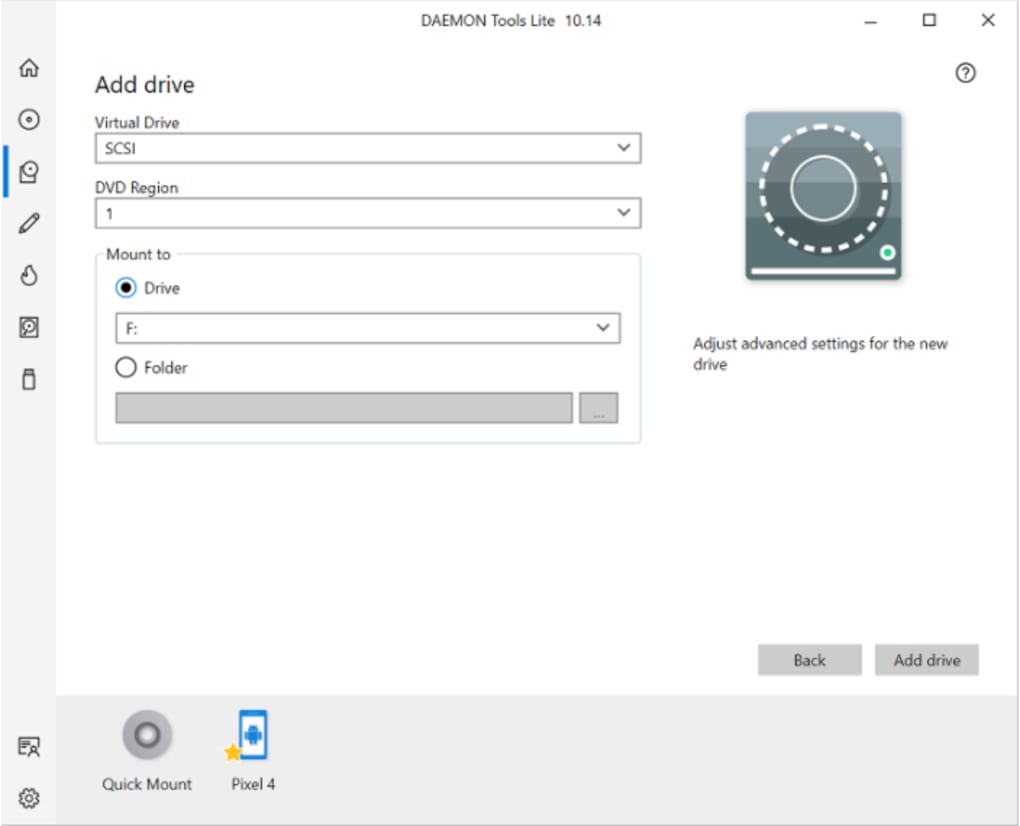
L'icône "Drives" vous permet d'ajouter et de modifier les directives de montage et les lecteurs virtuels. Si vous souhaitez personnaliser l'expérience utilisateur, vous pouvez cliquer sur "Settings". Vous pouvez ajuster le thème en changeant les couleurs de claires à foncées. Si vous souhaitez passer aux offres premium, vous pouvez cliquer sur le bouton "Licence" pour vérifier les préférences d'abonnement.
Seuls les packs payants offrent l'émulation IDE, les images de démarrage, etc. Alors que DAEMON Tools Lite peut être considéré comme sûrà utiliser, il y a des préoccupations autour d'un service appelé MountSpace que les développeurs ont introduit pour capturer les données des utilisateurs.
Lecteurs virtuels alternatifs
Alcohol 120, PowerISO, UltraISO, et Virtual CloneDrive sont des lecteurs virtuels de CD et DVD similaires qui vous permettent de monter des imageset de ripper des disques. Vous pouvez utiliser PowerISO et UltraISO pour créer des périphériques amorçables : disques, lecteurs, etc. Toutes ces applications vous permettent de graver des images ISO sur des CD, des DVD et des disques Blue-Ray. Les applications peuvent fournir des sauvegardes virtuelles de vos supports : archives de données, disques physiques, etc.
Alors que Virtual CloneDrive est un freeware qui vous est accessible sans abonnement, Alcohol 120, PowerISO et UltraISO sont des logiciels d'essai qui ne peuvent être utilisés que pendant une période limitée avant que vous ne deviez payer pour les périphériques virtuels. Vous pouvez télécharger et installer tous ces utilitaires sur le système d'exploitation Microsoft Windows.
Application simple d'émulation de média optique
DAEMON Tools Lite est un émulateur populaire qui peut faire des copies virtuelles de disques physiques que vous pouvez conserver sur votre ordinateur PC ou portable. DAEMON vous permet de gérervos fichiers émulés directement dans l'interface utilisateur. Vous pouvez monter différents formats d'images : ISO, etc. Les développeurs de DAEMON ont plusieurs programmes supplémentaires que vous pouvez télécharger : Catch, reWASD, etc.
Les abonnements payants vous donnent droit à des mises à jour à vie pour plusieurs PC. Vous pouvez toujours mettre à jour la version gratuite avec la dernière version du logiciel. Les développeurs fournissent régulièrement de nouvelles mises à jour du logiciel pour améliorer l'expérience de l'utilisateur.