
Capturing gameplay without complexity
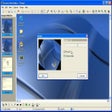
FRAPS remains a recognizable screen recording utility for gamers who want to capture gameplay, monitor frame rates, and take screenshots easily. Its straightforward design helps document gaming sessions and check performance, although its older interface and limited recording options may feel restrictive compared with newer tools.
For multimedia capture and performance monitoring, FRAPS keeps its core functions accessible. It displays an FPS counter, records gameplay, and saves screenshots using configurable shortcuts. However, its usefulness depends on system compatibility and user expectations, especially when newer recording software provides more flexible output options.
Useful features, aging limitations
FRAPS helps users monitor frame rates during gameplay and record benchmark results for later comparison. Users can measure performance between selected points and save statistics for analysis. This is useful when testing graphical settings or comparing results across sessions. However, recording may affect performance, and its dated compatibility information makes testing on the intended system important before relying on its results.
For simple recording, this app offers keyboard shortcuts, adjustable capture sizes, and options for recording game audio. Registered users can save screenshots in several image formats. However, recorded videos can consume substantial disk space, while the free version limits recordings to 30 seconds and adds a watermark. Users planning longer sessions may prefer newer recorders with more efficient compression and additional controls.
The program has not received a new release since 2013, raising concerns about its suitability for modern systems. Its DirectX and OpenGL support remains useful for compatible games, but its dated release history encourages users to consider alternatives. Those seeking efficient compression, advanced editing, or flexible recording options may find newer screen recording tools more practical for current gameplay capture and content creation needs.
A simple recorder with limitations
FRAPS remains useful for basic gameplay recording, screenshots, and frame-rate benchmarking, particularly on compatible systems. Its straightforward controls make these tasks accessible, but large video files, free-version restrictions, and its long absence of updates are notable drawbacks. I recommend it to users who need its specific functions and have verified compatibility. However, creators seeking efficient compression, advanced editing, and modern recording features should consider newer alternatives.
Pros
- Simple recording controls
- Built-in FPS benchmarking
- Screenshots with hotkeys
- Supports DirectX and OpenGL
Cons
- Large video file sizes
- Free recordings limited to 30 seconds
- Development has been inactive
- Compatibility with newer systems uncertain